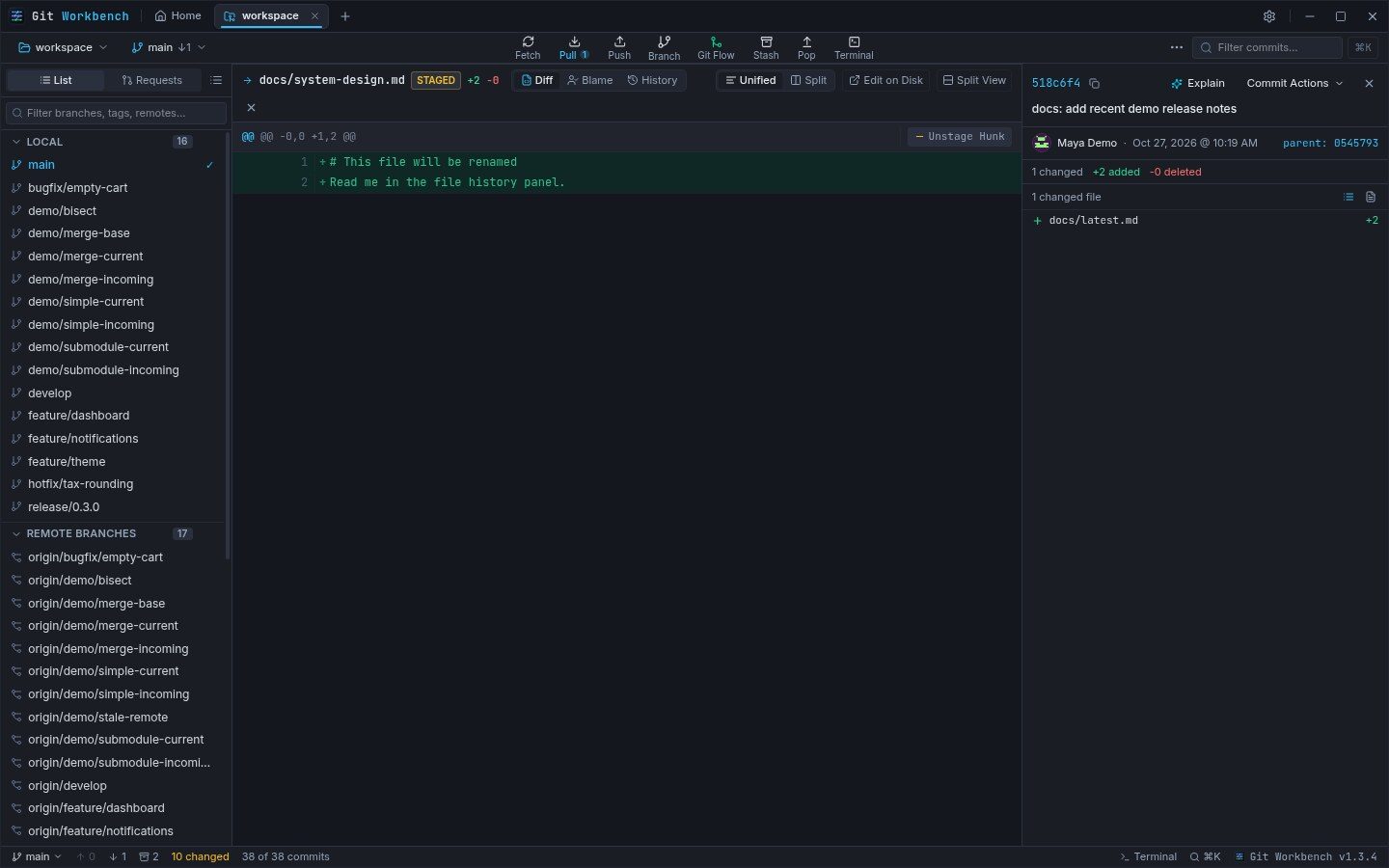
Choose the diff view that fits the change
Unified diffs put additions and deletions in one reading flow. Side-by-side diffs separate the old and new versions when comparing a larger edit. Syntax highlighting helps preserve the structure of the code in either view.
Open a historical commit to inspect its patch, or review staged and unstaged files in the active workspace. The file hierarchy and change badges keep the path and change type visible as you move between files.
Stage the right pieces
Stage or unstage individual hunks instead of committing an entire file just because part of it is ready. This is useful when a bug fix and a separate cleanup touched the same source file.
Review the staged patch before committing. Your normal repository configuration remains in use, and you can open a file in your system editor or reveal it in the file manager when you need more context.
- Inspect the changed file and choose a diff layout.
- Stage the hunks that belong to one logical change.
- Check the staged patch and write a commit message.
- Leave unrelated edits unstaged for the next commit.
Discard with a recovery path
In-app discard actions create a workspace restore point before removing supported file, hunk, or line changes. If the snapshot fails, the destructive operation stops.
Restore points preserve the staged/unstaged split and non-ignored untracked files, but do not include ignored files or unsaved editor buffers. Commands run directly in the terminal do not receive these app safeguards.
Already committed too much?
The visual commit splitter can divide a commit on the current local branch into 2–20 smaller commits by file or text hunk. Preview builds the replacement commits separately and verifies the same final file tree before applying.
Applying a split requires a clean, unchanged branch and creates a restore point. Rewriting changes commit hashes and does not preserve signatures; no push runs automatically. See the advanced workflow guide before changing shared history.