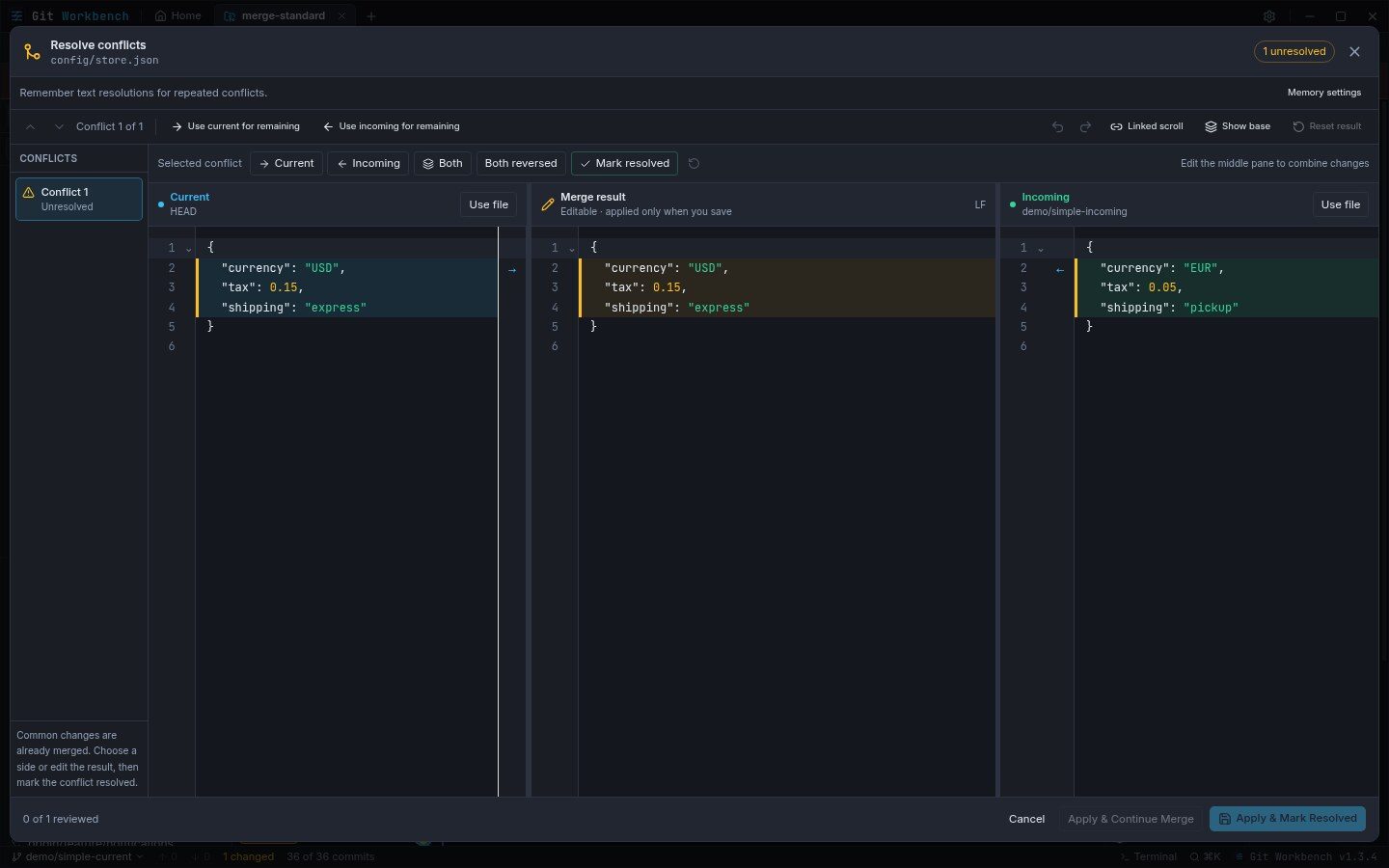
Current, Incoming, and your result
Open a conflicted file from the operation banner or its Resolve action in the changes list. Current and Incoming remain read-only beside an editable Merge result, with a common ancestor available through Show base.
Resize the panes or link scrolling to keep a section aligned. Git’s non-conflicting changes remain in the working result while you decide how to resolve the conflicting blocks.
Work through conflicts deliberately
Gutter arrows and toolbar actions can accept either side, keep both in either order, or restore a diff3 base block. You can also edit the result directly with search, syntax highlighting, and undo/redo.
Use Alt+Up or Alt+Down to move between conflict blocks. Mark resolved confirms manual edits. Apply & Next File saves and stages the reviewed file; on the last file, Apply & Continue explicitly resumes the paused merge, rebase, or cherry-pick.
Review a remembered resolution
Actions → Conflict Resolution Memory enables repository-local suggestions backed by Git rerere. A repeated text conflict can offer a preview generated in a temporary worktree and index, leaving your working file untouched during the preview.
Use reviewed result loads an undoable editor draft; Apply still controls saving and staging. You can forget a matching result or disable suggestions while retaining the cache. Git’s automatic rerere application is disabled when this feature is enabled.
Know when a text merge is not enough
Binary files and symbolic links use complete-side choices. Delete/modify conflicts let you keep the deletion, while submodule conflicts display guidance for resolving the submodule through Git.
Line endings are preserved. If a file or index entry changes during saving, the editor requires a reload; switching files or closing with unapplied edits asks you to review that choice.