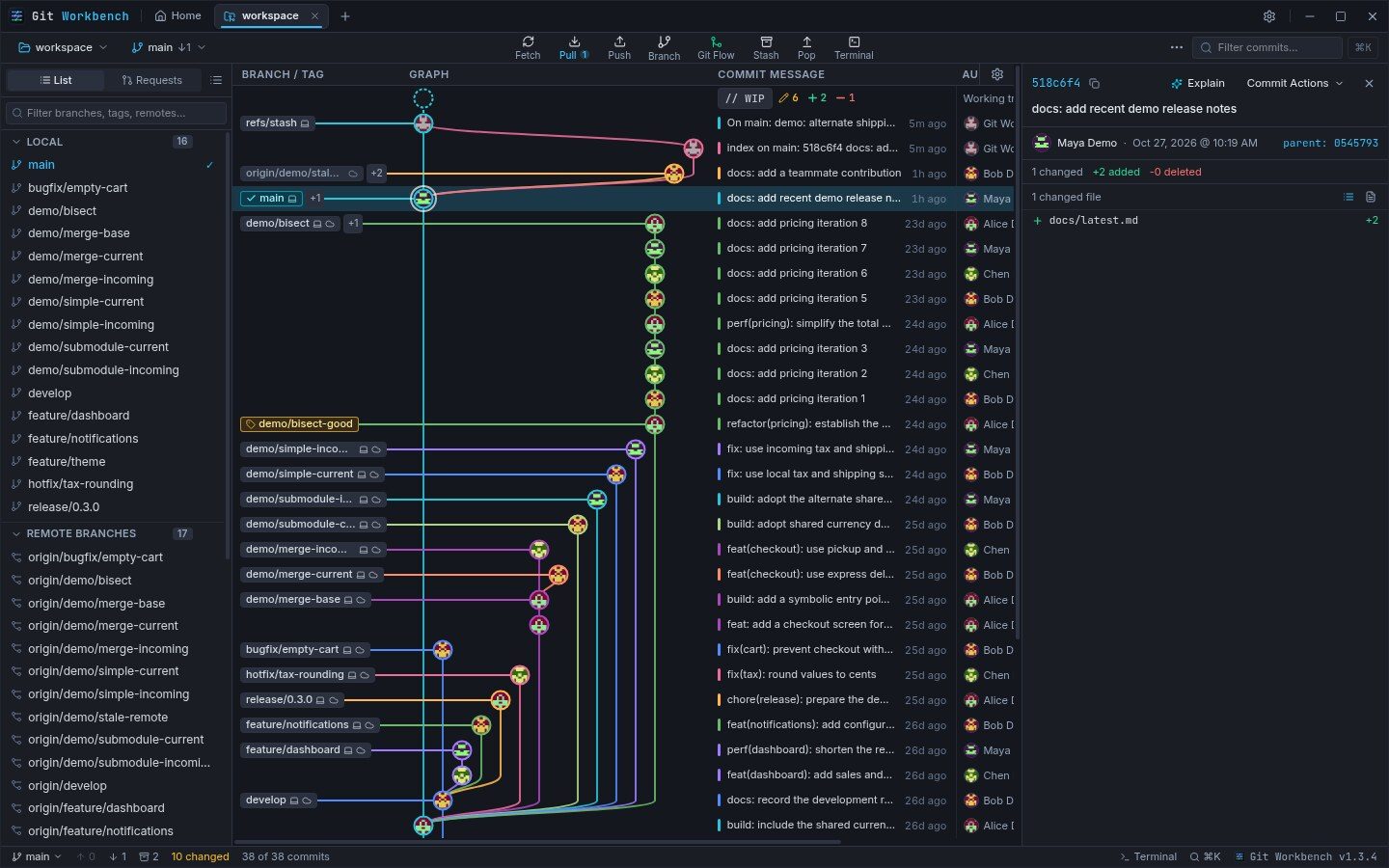
Follow branches through the graph
Dedicated color lanes trace parallel branches and their merge points. HEAD, local branches, remote-tracking branches, and tags appear inline with the commit summaries, so you can connect a branch name to its place in history.
Use the branch list and commit filter to narrow the view when a repository grows. Graph density is adjustable in Settings → Typography & Density: choose more breathing room or fit more history on screen.
Move from a commit to its changes
Select a commit node to inspect its author, parent hashes, and changed files. Follow a parent hash to move through the history rather than reconstructing the relationship from names alone.
The file list offers both flat paths and an expandable folder hierarchy. Added, modified, deleted, and renamed badges, together with line counts, help you decide which patch to open next.
Replay a branch as its graph grows
Open History time machine from the commit graph, choose a local or remote branch, and scrub or play through its commits in chronological order. The graph grows with each step; the selected commit shows its author, date, changed files, and patch.
Replay is read-only: it does not check out commits or alter working files. For very long histories, the view shows the latest 500 commits and makes that limit visible.
Trace a file’s history line by line
Open a file’s History view and scrub the revisions that touched it. At each revision, historical blame connects visible lines to their author, date, short hash, and commit message; search can narrow the view by author, message, or code.
Open the selected revision’s diff or jump back to its commit in the graph. This makes it easier to follow how a file evolved while keeping the original checkout in place.
Mark small milestones, quietly
A short, subtle confirmation can appear when a rebase completes or the final conflict is resolved. The Subtle milestone animations setting in Appearance & Themes turns these moments off, and reduced-motion preferences avoid movement.
Keep more than one repository in view
Repository tabs let you switch projects without opening another app window. Home keeps recent projects and pinned repository cards together, including changed files, conflicts, and ahead/behind information.
A local status refresh reads your workspace; it does not fetch from the remote. Ahead/behind counts reflect the last fetched upstream, so fetch explicitly when you need current remote history.
Use the Git setup you already trust
Git Workbench reads the repository through your installed system Git. Existing SSH keys, credential helpers, Git hooks, GPG configuration, and .gitconfig remain part of the workflow.
Local history browsing needs no hosting account. Connect a provider when you want pull request or merge request features, and use the integrated terminal whenever a task calls for the command line.